
Clock
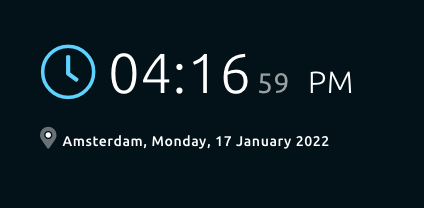
The Clock widget shows the current time & date.
Screenshot
Functionality
The clock widget has the following functionality.
- Show time and date
- Show current city
- Timezone
- Show AM/PM
- Show location
How to use
Simple add the Clock widget on your Smart Mirror using the Senses - Smart Mirror app. This widget doesn't require any other configuration.
Configuration
| Setting | Description |
|---|---|
| Widget Title | Widget header title, by default the header title for the clock widget is empty |
| City name | Name of the city where you are located |
| Timezone | Timezone where you are located |
| AM/PM | Show or hide AM/PM |
| Location | Show or hide the location |
| Date | Show or hide the date |
All other configuration settings are explained here.