
Weather Forecast
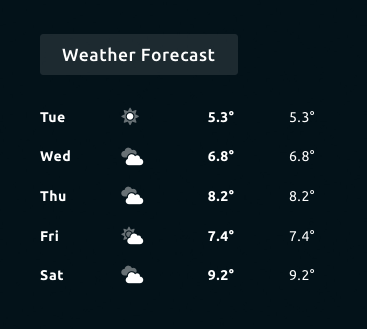
The Weather Forecast widget shows the expected weather for the next 5 days. The data can be displayed in a list or in a graph.
This widget is using the Open Weather Apiopen in new window. You will need to create an account and copy / paste the API key in the Senses - App.
Screenshot

Functionality
- Display forecast data for next 5 days.
- Display forecast data in a graph.
- Display different units
- Different language support
How to use
Follow the following steps for set up the weather widget.
Go to: Open Weather Apiopen in new window and create an account (or sign in).
After creating an account navigate to API Keys section and generate a new API key.
Copy the newly created API key and paste the key in the Weather widget in Senses - App.
Configure the Weather widget to your likings.
Configuration
The following configuration options are available for this widget.
| Setting | Description |
|---|---|
| Widget Title | Widget header title |
| Default URL | Specify the URL for the Weather Data. This is set to the Open Weather Api at this time |
| API Key | Paste the API Key from Open Weather Apiopen in new window |
| Units | Choose between Metric or Imperial |
| Show Graph | Enable this option to display the forecast in a graph |
| Show animation | Enable this option to animate the graph. This option must be enabled if you use this widget in the animator. |
| Language | Choose the language. View all possibilities on the Open Weather Siteopen in new window. |
| Interval | Specify the interval in between the widget will poll for new data. The Open Weather API has a very strict limit. We advise to only pull for new data once every 60 seconds. |
All other configuration settings are explained here.