
Video Player
With the Video Player widget you can display any video from Youtube, Vimeo or any other MP4 Video. Through the Senses - App you can play, pause, forward, reverse or adjust the volume. There are two different video sizes. 600px by 340px or a smaller 490px by 280px.
Screenshot

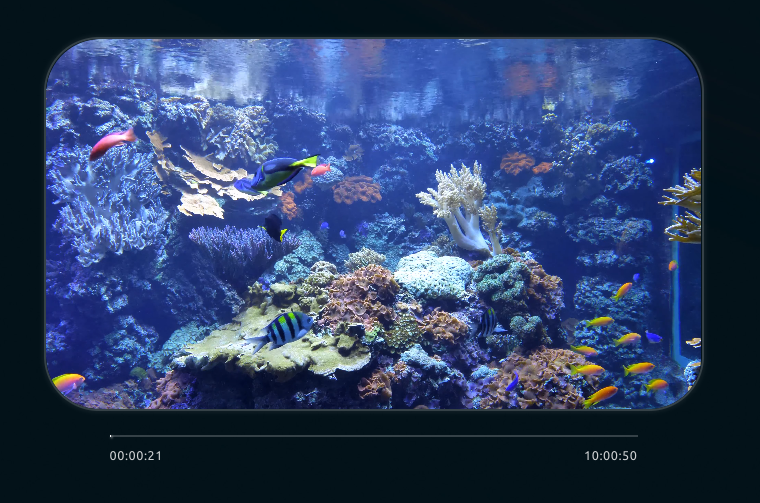
Functionality
The Video Player widget has the following functionality:
- Play Youtube / Vimeo or other MP4 link video.
- Pause / Play / Stop / Forward / Reverse / Mute / Volume up / Volume Down through the Senses - App.
- Send video to your Smart Mirror from the Senses - App.
- Fast forward to given timestamp.
- Switch video dimensions: 600px by 340px or a smaller 490px by 280px.
- Show or hide the progress bar
How to use
Add the Video Player widget on your Smart Mirror and specify the Video URL in the Senses - App. Before playing you will need to "send" the video URL to the Smart Mirror. You can do this in the Senses - App.
Configuration
The following configuration options are available.
| Setting | Description |
|---|---|
| Widget Title | Widget header title |
| Video Url | Paste the full video URL and click "Send video to Smart Mirror" Example: https://www.youtube.com/watch?v=9Ej-0VRWmI8 or http://commondatastorage.googleapis.com/gtv-videos-bucket/sample/BigBuckBunny.mp4 |
| Playbar | Width the playbar you can: Pause / Play / Stop / Forward / Reverse / Mute / Volume up / Volume Down or specify a timestamp in the format: mm:ss. Example: 01:15 for 1 minute and 15 seconds. |
| Video Width | Select the size for the video. 600px by 340px or a smaller 490px by 280px. |
| Show or hide progress bar | Enable this option to view the video progress bar. |
All other configuration settings are explained here.