
Travel Time / Commute
The Travel time / commute widget will show the commute to any route specified in the Senses - App. You can use this widget to show your commute to your work office. This widget is using Google Calendar live data and can send a notification when there is traffic on your routes.
For this widget you will need to have a Google Developer Console account setup and you will need to specify the API Key in the Senses - App.
Screenshot
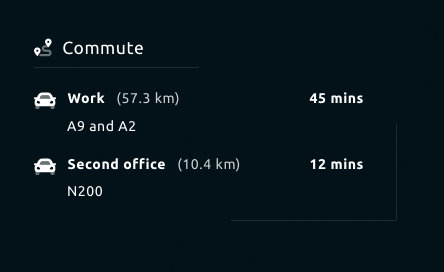
Functionality
- Display route information based on provided routes.
- Display notification if route takes longer than normal.
How to use
Follow the following steps to setup the travel time widget.
- Follow the first 5 steps from Calender widget Setup.
You should have an account setup by this point.
Use the search bar to find the "Directions Api product".
Click enable in order to enable this product for your Google account.
After enabling select the "Credentials" page from the left menu.
Click "Create credentials" in the top and start creating an API Key.
After creating the API Key, copy this API Key to the Senses - App.
You now have Google Account setup and ready to add routes in the Senses - App.
- Provide your routes by giving them a name, from & to. Click "Add route" to add them to the list.
Configuration
The following configuration options are available for this widget.
| Setting | Description |
|---|---|
| Widget Title | Widget header title |
| API Key | Specify the API key from Google Console |
| Routes | Specify a route by giving the name, from & to. |
| Current routes | Remove a route |
| Display notification | Display a notification when a route is taking longer than expected. The notification will be displayed in the Notifications widget. |
| Interval | Specify the interval in between the widget will poll for new data. |
All other configuration settings are explained here.